
Yesterday’s funding post covered the model behind this week’s releases. Here is the first one. PR #5264 brings mapping back into core with two components: a MapView that draws an entire map through Graphics with no native peer, and a NativeMap that embeds the platform’s own map. Both sit behind one MapSurface API, so you can switch between them by changing a class name.
What was wrong with the old maps
For years the answer to “how do I show a map” was one of two things. The deprecated tile-based MapComponent fetched raster tiles and painted them, which worked but was frozen in time. Or you added the external codenameone-google-maps cn1lib, which embedded the actual Google Maps SDK as a native peer.
The cn1lib approach worked, but it locked you to one vendor. It embedded the Google Maps SDK specifically, so a device without Google Play, such as a Huawei phone, was a porting problem rather than a build setting. Being a native peer, the map was also a separate platform surface that only existed where the provider shipped, so it looked different on every platform, because it was a different map on every platform, and it did not exist at all in the simulator or on the web. None of that makes native maps wrong; it makes them one tool among two, which is exactly what this PR gives you.
The MapView vector engine
MapView is the part I find most interesting. It is a pure-vector map. Nothing about it is a native peer. Every road, water body, and park boundary is drawn through Graphics using GeneralPath and Stroke, the same drawing pipeline that paints every other CN1 component.
The data comes from Mapbox Vector Tiles (MVT). I wrote a new MVT engine on top of the framework’s existing ProtoReader and GZIPInputStream, so decoding a tile is decompressing gzip, reading protobuf, and turning the geometry commands into paths. There is no third-party parser involved. Because the output is just drawing calls, the map composes cleanly with the rest of your UI. You can put a Button over it, scroll it inside a Container, or animate it, and there are no snapshot tricks, because there is no separate platform surface behind the map at all.
Tile sources are pluggable. The default is raster OSM tiles, but you can switch to the MVT vector source, a bundled source you ship inside the app, or the deterministic DemoTileSource used by the screenshot tests. Styling is a MapLibre-subset JSON, and two styles ship in the box: light and dark.
Form hi = new Form("Map", new BorderLayout());

// A vector tile source (vector=true, zoom 0..14) and the built-in dark style.
TileSource tiles = new HttpTileSource(
        "https://example.com/tiles/{z}/{x}/{y}.pbf", true, 0, 14);
MapView map = new MapView(tiles, MapStyle.dark());

map.setCameraPosition(new CameraPosition(new LatLng(37.7749, -122.4194), 13));

map.addMarker(new MarkerOptions()
        .position(new LatLng(37.7749, -122.4194))
        .title("San Francisco"));

hi.add(BorderLayout.CENTER, map);
hi.show();
The default constructor uses a raster OSM source and the light style; pass a TileSource and MapStyle when you want something else, or switch later with setTileSource(...) and setStyle(...).
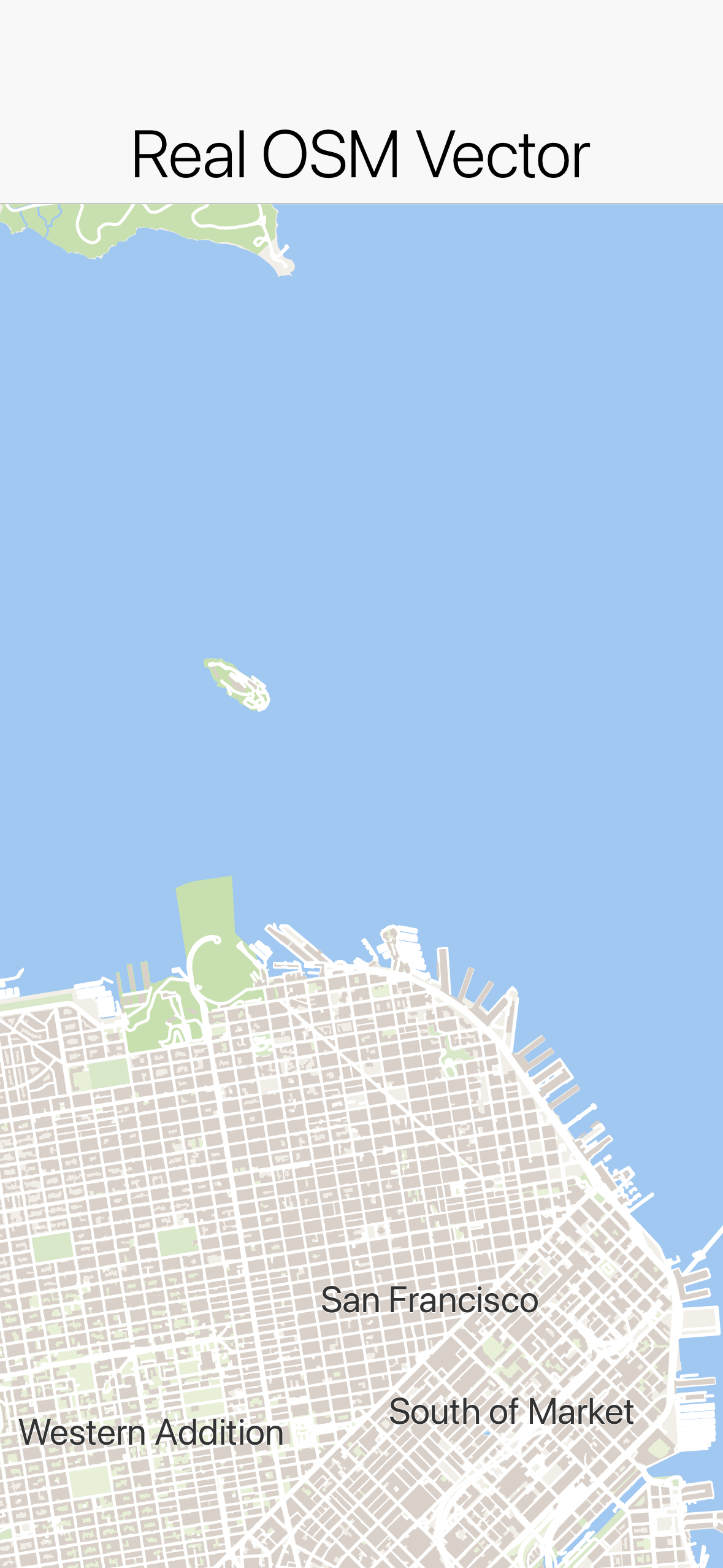
San Francisco rendered entirely through Graphics in the light style. No native peer is involved; these are paths and strokes.
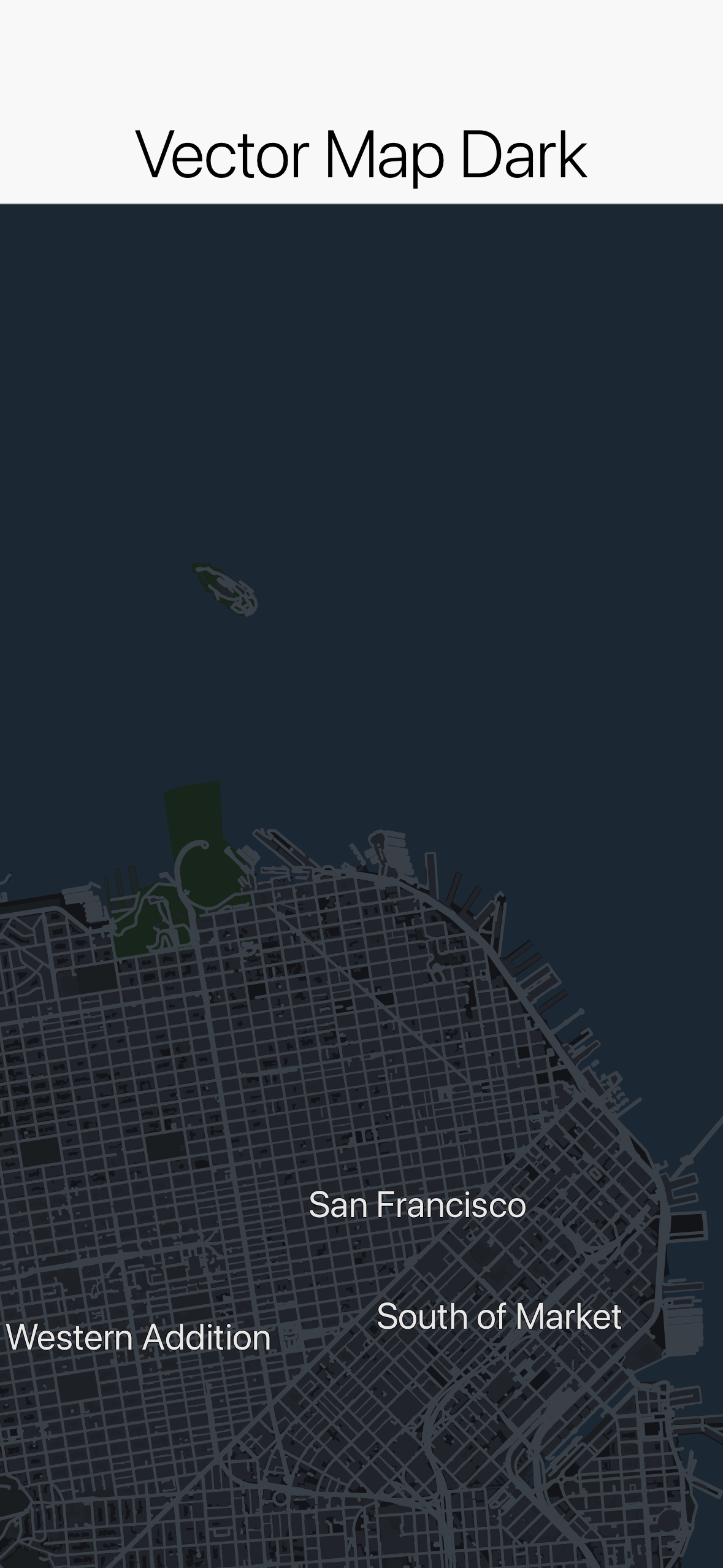
The same tiles with MapStyle.dark() applied. The style is a MapLibre-subset JSON, so switching themes is data, not new code.
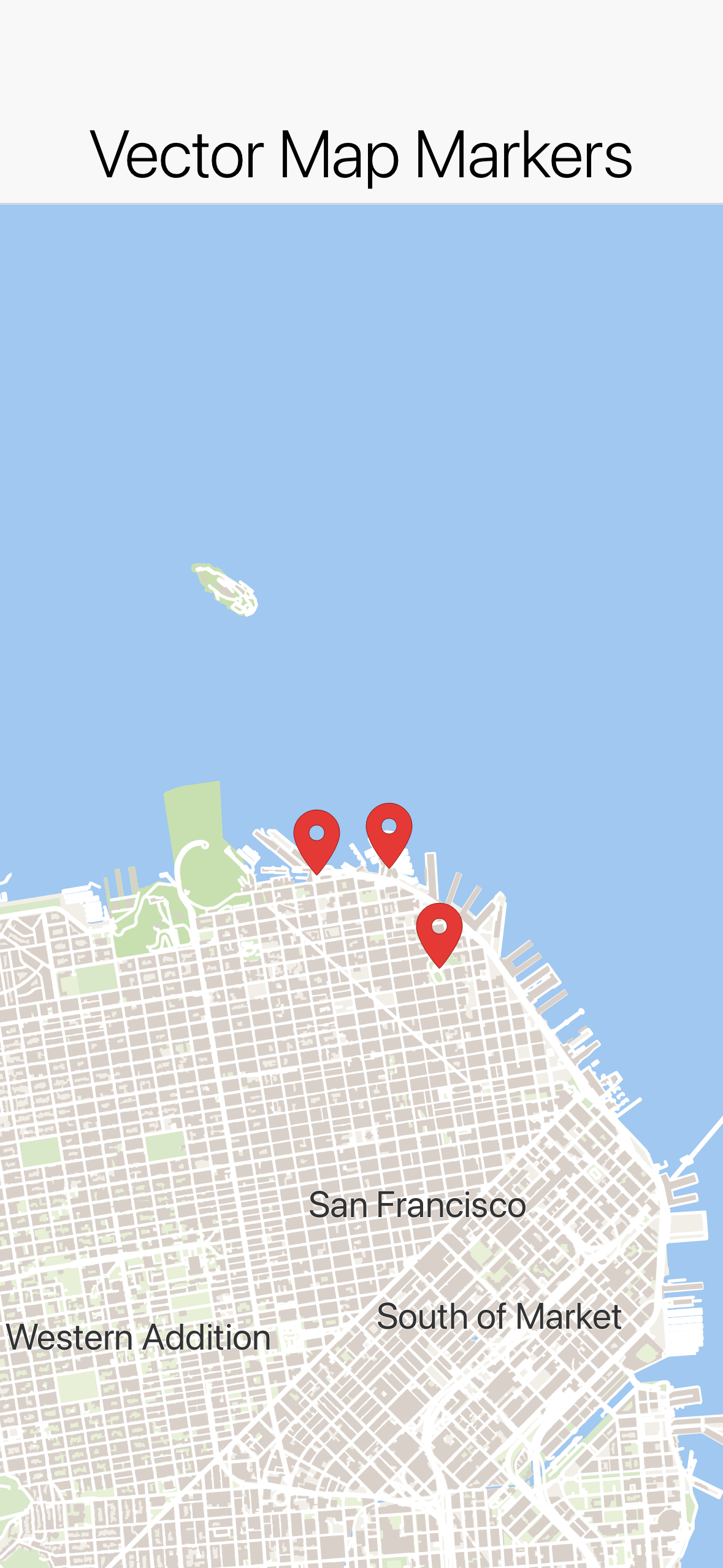
Marker, Polyline, Polygon, and Circle are drawn in the same pass as the map, so a marker is just another shape in the scene rather than an overlay glued on top.
Because the whole thing is Graphics, it renders identically everywhere: simulator, device, and the web target included. You host your own tiles and metadata offline if you want, and you control every pixel that gets drawn.
NativeMap and the build-hint provider model
Sometimes you want the platform’s map, with its road data, its traffic, and its look. That is what NativeMap is for. It embeds the actual platform map, Apple MapKit or Google Maps, behind the same MapSurface API. When no provider is wired in, or none is available at runtime, NativeMap falls back to an embedded MapView so the code still works.
The interesting design decision is that the public API never names a provider. There is no GoogleMapsImpl to import, no NativeInterface, and no CodenameOneImplementation hook. You select a provider with the maps.provider build hint, set to apple, google, or another supported value. At build time a MapsProviderInjector in the builders drops that provider’s native implementation into your app’s com.codename1.maps package. Core and the ports carry no map SDK at all, so a provider you do not use costs zero project size.
Apple MapKit impl into
com.codename1.maps"] B -->|google| D["MapsProviderInjector adds
Google Maps impl"] B -->|none / unavailable at runtime| E["Falls back to embedded MapView
(pure-vector Graphics)"] C --> F["Registered via MapProviderRegistry"] D --> F F --> G["NativeMap renders the platform map"]
This moves a hard problem from a fork to a build hint. Supporting a device without Google Play stops being “maintain a separate branch” and becomes “set maps.provider to something else.” The provider SPI lives in com.codename1.maps.spi.MapProvider, and registrations go through MapProviderRegistry, both covered by the unit tests.
With maps.provider=apple, NativeMap renders a live MapKit map with a marker. The screenshot below is from the native Mac desktop build, which supports the Apple provider:
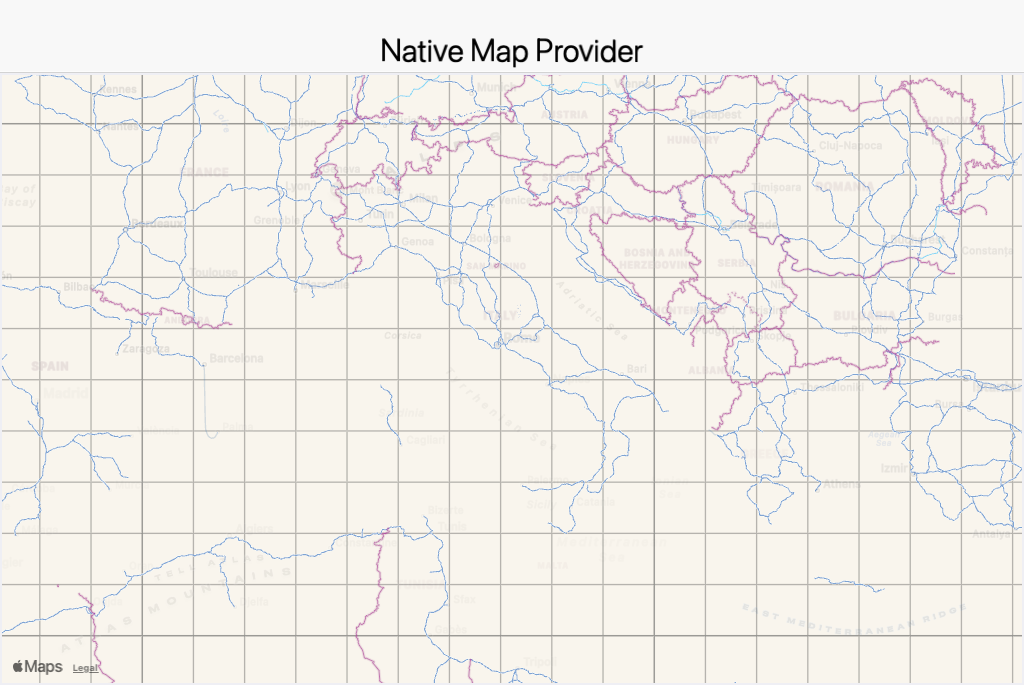
NativeMap with maps.provider=apple on the native Mac desktop build, showing a real MapKit map and a marker. This is the platform’s map embedded, not the vector engine.
The tradeoff
The vector engine is new, and the style format is a subset of a full MapLibre style, not the whole specification. If you bring a complex upstream style it may reference layer or expression features the subset does not implement yet. Labeling and coverage also depend on the tile data you point it at. The default OSM source is fine for general use, but if your tiles lack a layer, the map will not draw what is not there. NativeMap sidesteps both concerns by deferring to the platform, at the cost of the native-peer behavior the vector path was built to avoid. Pick the one that matches what you are building.
For confidence there are 29 unit tests in core-unittests, all green, covering the value types, the model, the provider SPI registry, the MVT decoder across all its value types, the styles, color and zoom handling, cache internals, and the Web Mercator math. The hellocodenameone screenshot tests run against the deterministic DemoTileSource so the pixels are reproducible offline, and there is a new Maps.asciidoc chapter in the developer guide.
Wrapping up
Two components, one MapSurface API. Reach for MapView when you want a map that draws like the rest of your UI, renders the same on every target including the web, and lets you carry your own tiles. Reach for NativeMap when you want the platform’s own map and are happy to accept a native peer to get it. The provider for that peer is a build hint, so the choice of Apple versus Google versus none never leaks into your source.
Discussion
Join the conversation via GitHub Discussions.